OnSong for Windows: why there isn't one (and what to use)
OnSong for Windows does not exist: OnSong runs on iPad, iPhone and Mac. What OnSong Console does on a PC, and which chord chart apps run on Windows.
· 6 min read
Bring your whole library over from OnSong, SongbookPro, or Ultimate Guitar, then transpose, practice, build setlists and play, even offline.
Hundreds of musicians, from practice to the stage38,000+ songs added94% of songs imported from other apps
Whatever you play from, Fretlist runs on it. Open fretlist.com on any device and add it to your home screen. Same account, same songs, everywhere.
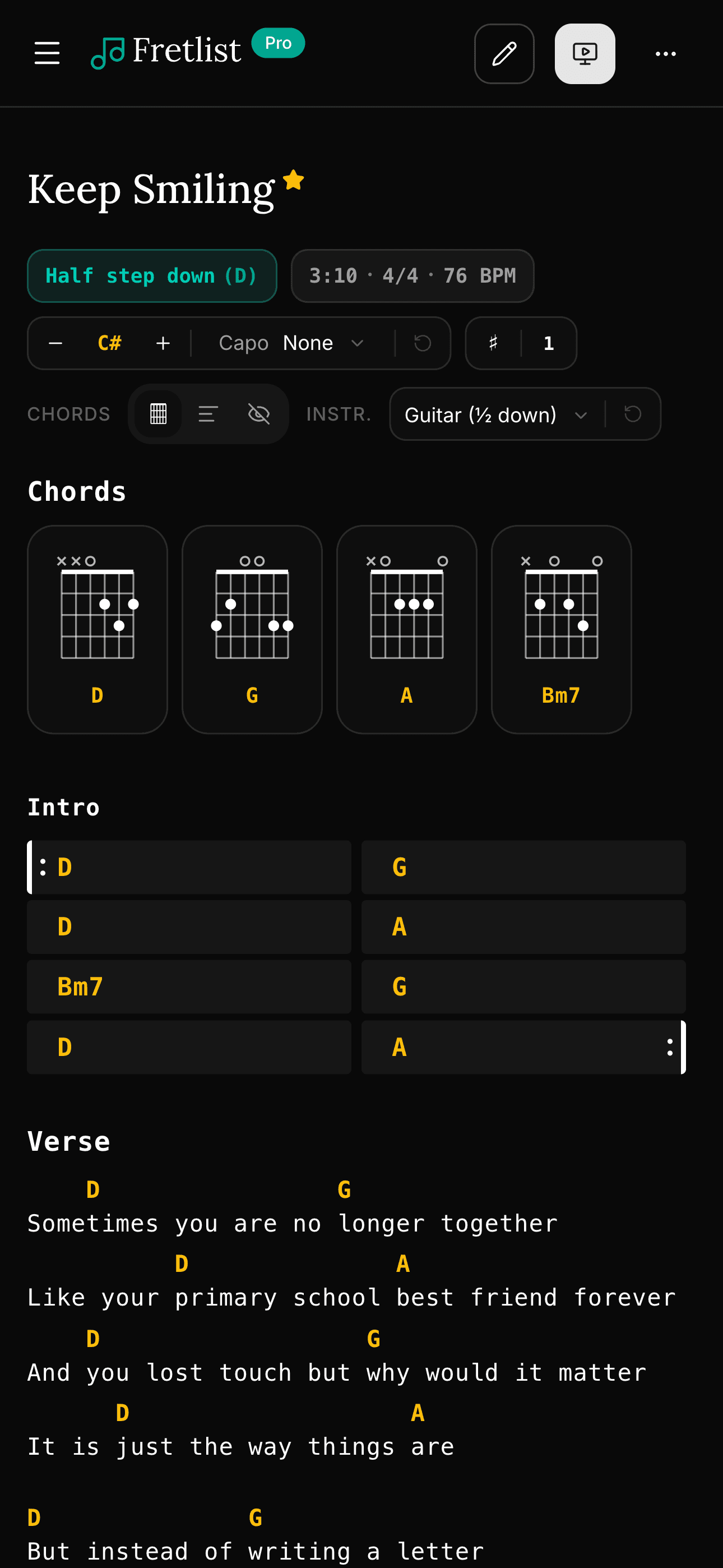
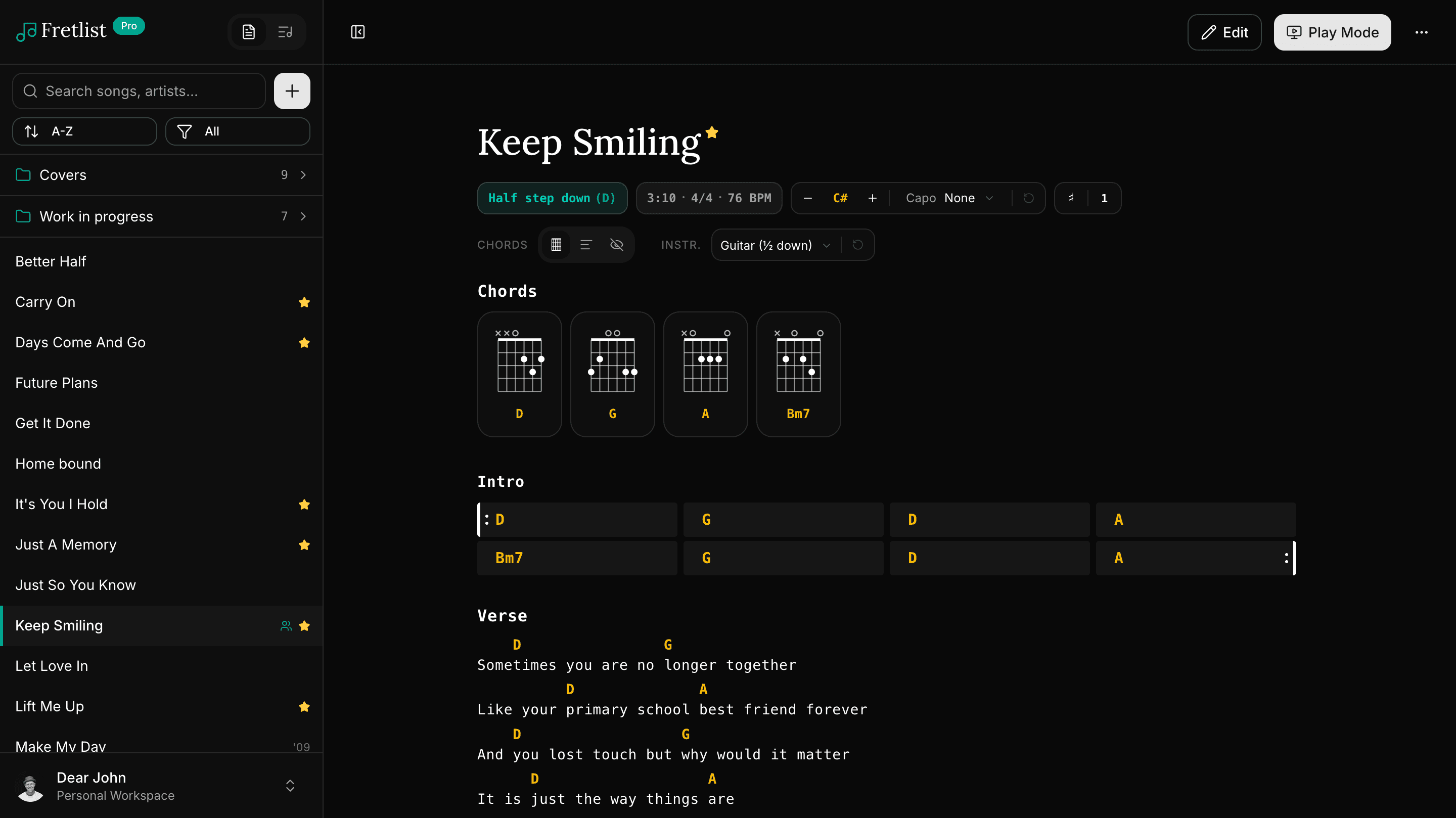
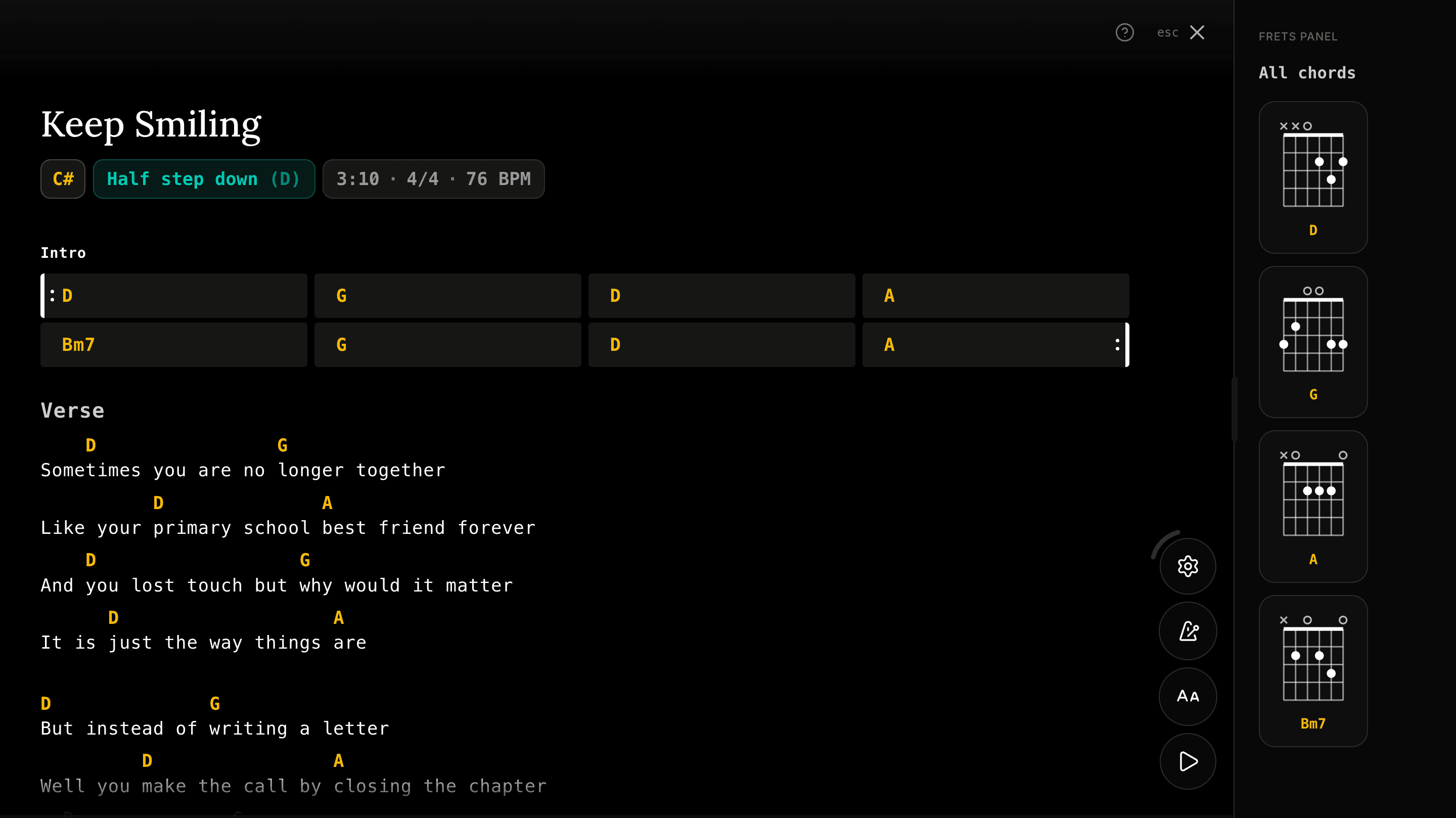
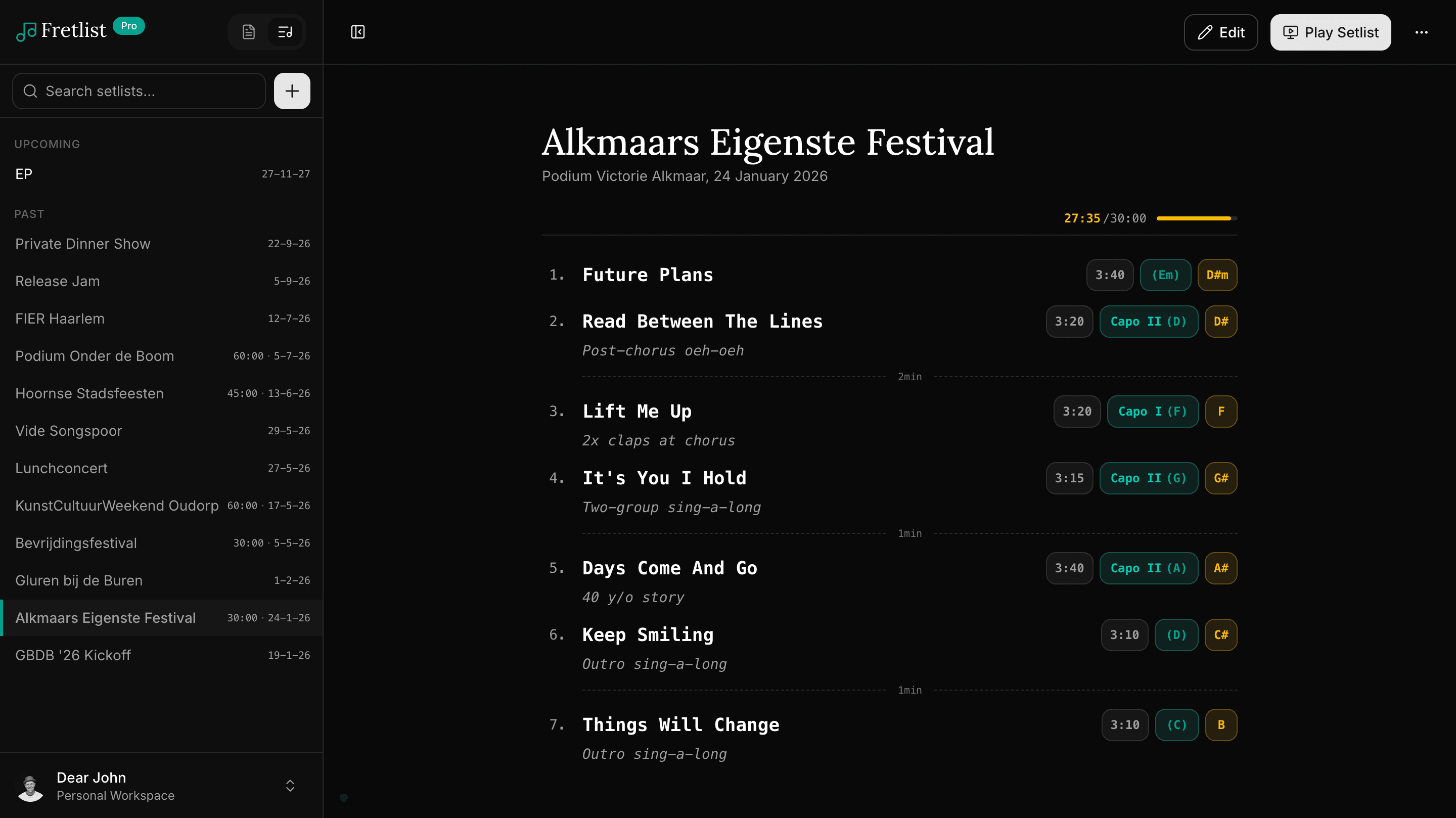
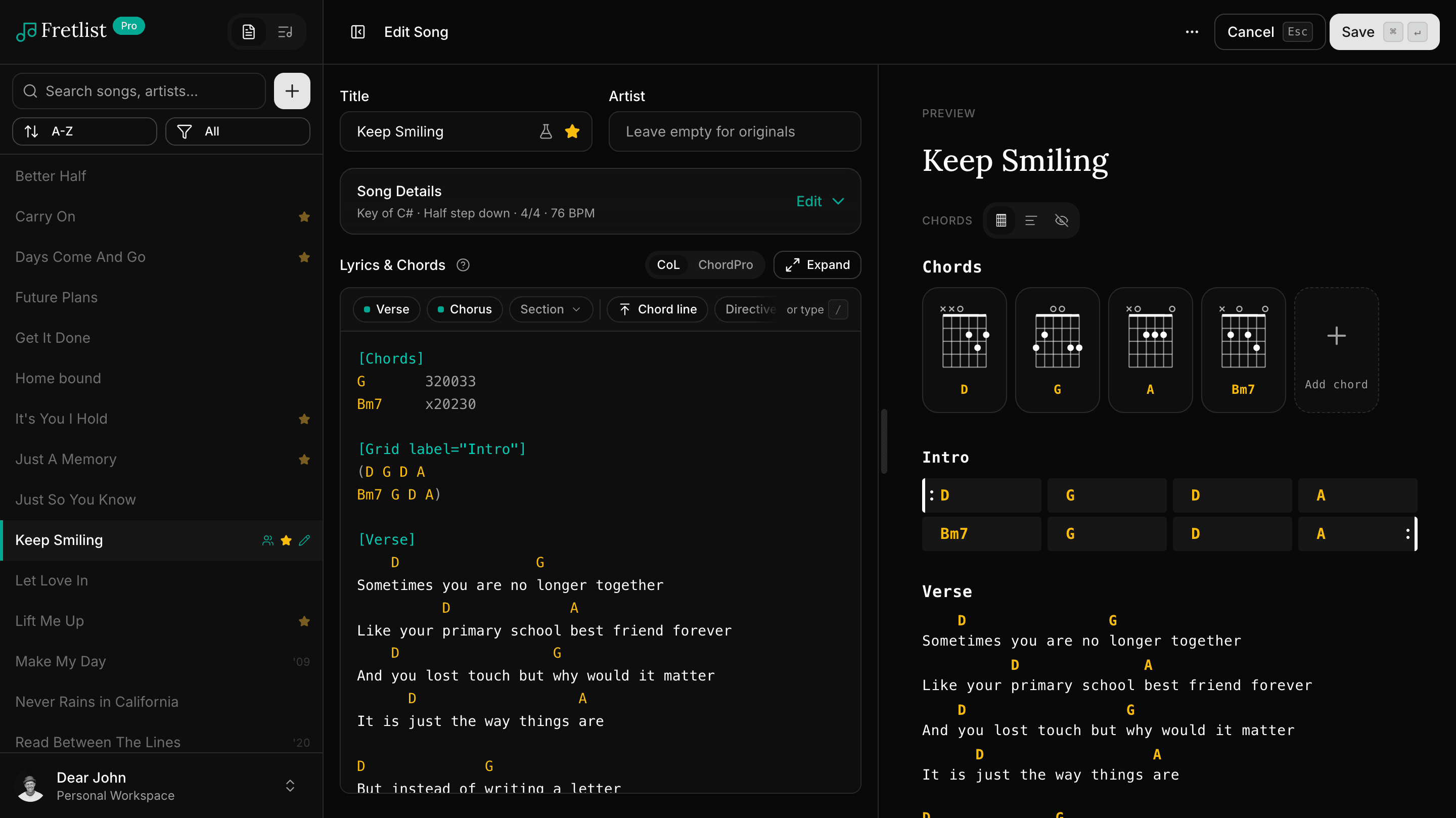
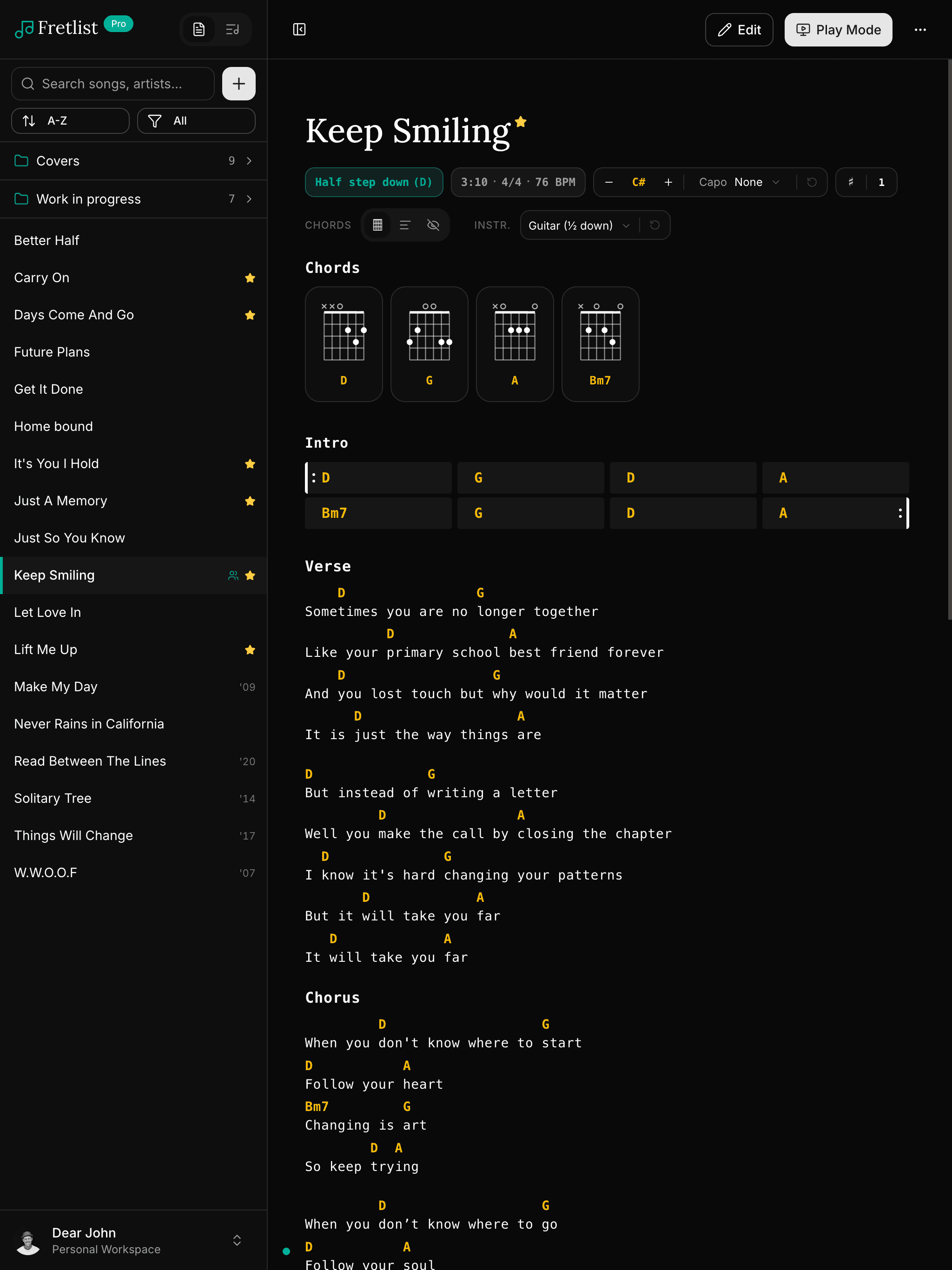
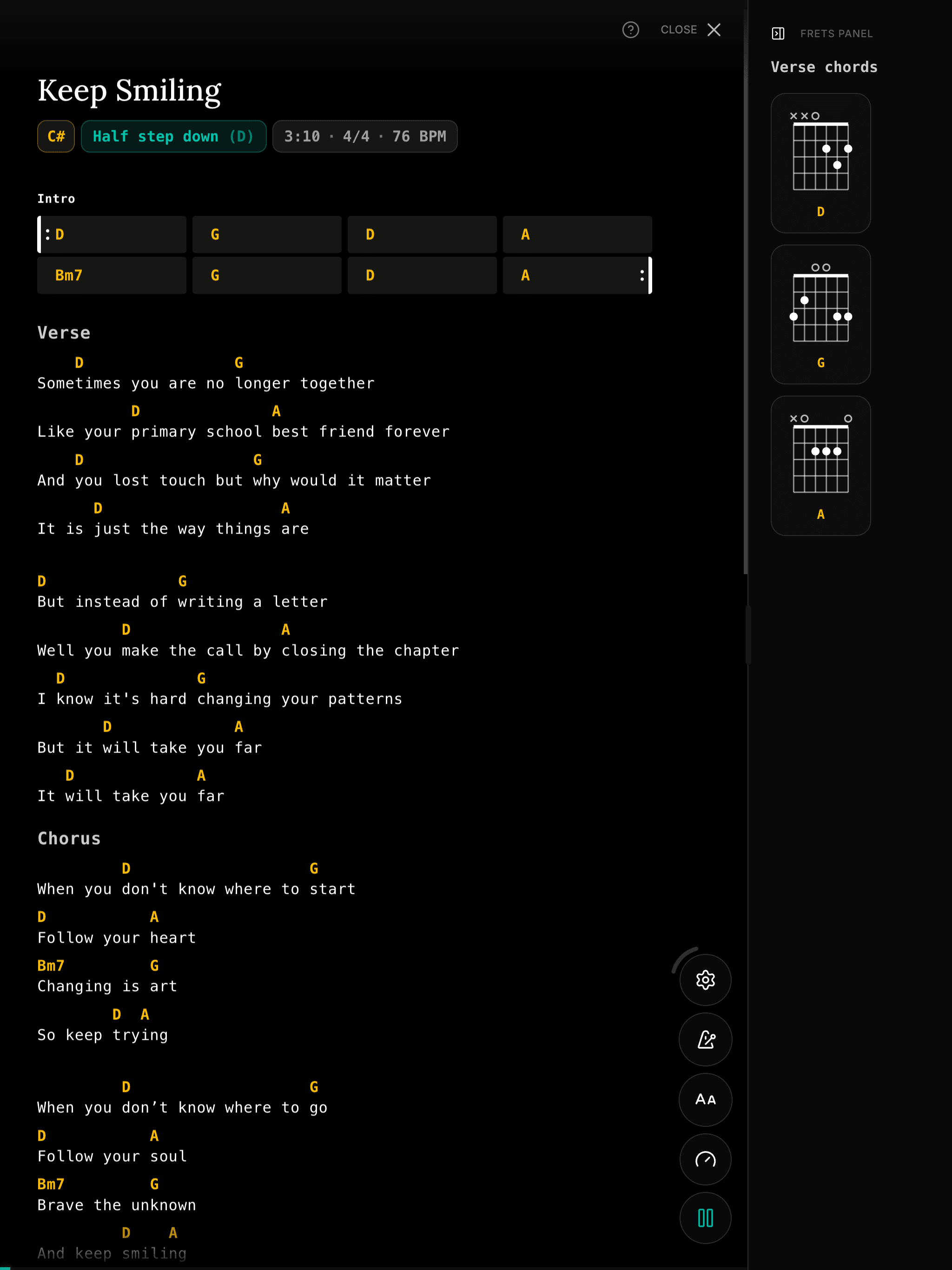
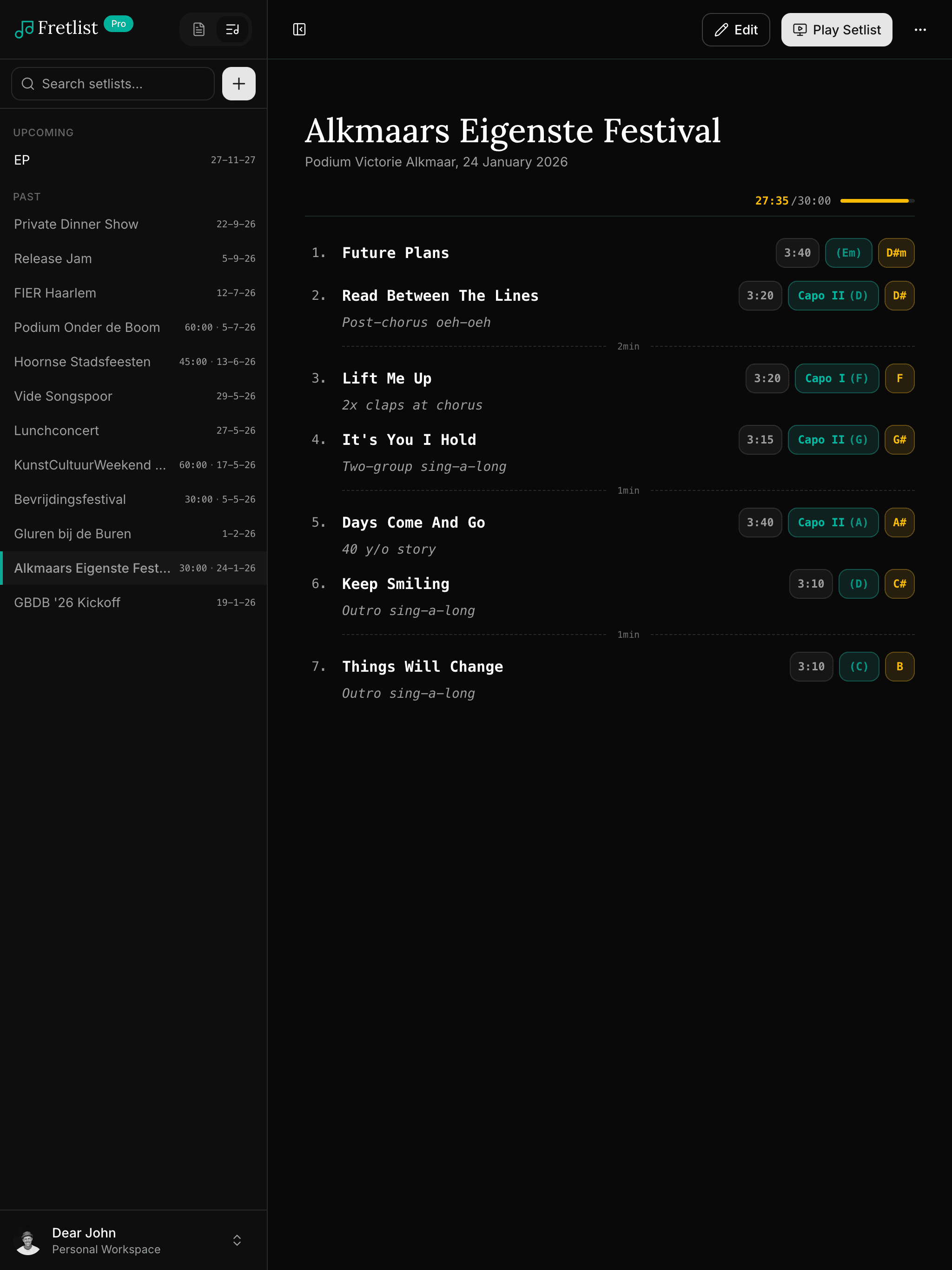
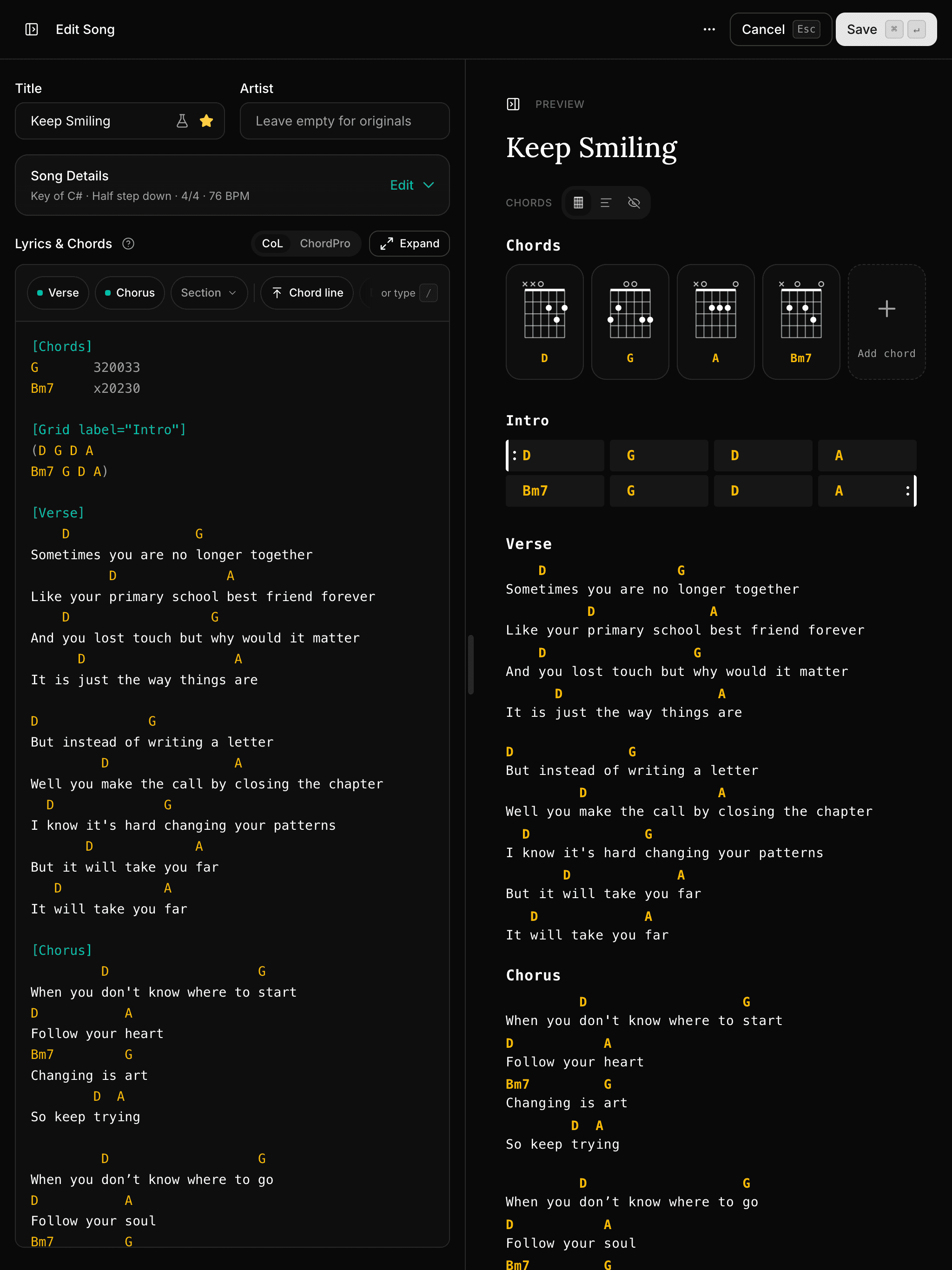
Edit on the laptop at home, it's already on your tablet at rehearsal. No cables, no exports, no “which version is the latest.”
Your songs and setlists are saved on your device, so they keep working without internet. At home, at rehearsal or on stage.
No store, no download. Add it to your home screen or dock from your browser and it opens full-screen like any other app.
“LOVE the cross-platform capability. I can enter or edit songs on my computer (Windows) then access them on either my tablet or my phone (Android)! Wonderful!!”
Drop in an OnSong or SongbookPro backup, or paste a song straight from Ultimate Guitar. Songs and setlists arrive as clean, clean chord sheets, ready to play.
Years of songs and setlists come across in one backup file, exactly as you had them.
One backup brings your songs and setlists across. Nothing to retype.
Found the song on Ultimate Guitar? Copy it, paste it in, and it's a clean chord sheet. The rest of the page stays behind.
31% of musicians who import their songs use Ultimate Guitar
Your PDFs, Word files and ChordPro sheets become songs you can transpose, practice and play from.
“I really appreciate how easy it was to migrate my set lists at 191 songs from SongbookPro to Fretlist.”
Scanned PDFs (photos of paper) can't be read yet. Text PDFs, Word files and app backups can.
“I was literally set up and ready to play within minutes! It's simple, and it just works!”
“Fretlist is really slick. It has almost all the things I'd want in an app.”
Visual chord diagrams for every song. A section-aware panel in Play Mode shows only the chords for the section you're playing. Guitar and ukulele included.
Chart a song as bars and chords, no lyrics, for intros, turnarounds, and instrumentals. Grids transpose with the song and read big in Play Mode.
OnSong, SongbookPro, ChordPro, PDF, Word, Ultimate Guitar, Chordie. Your library, clean and organized in seconds.
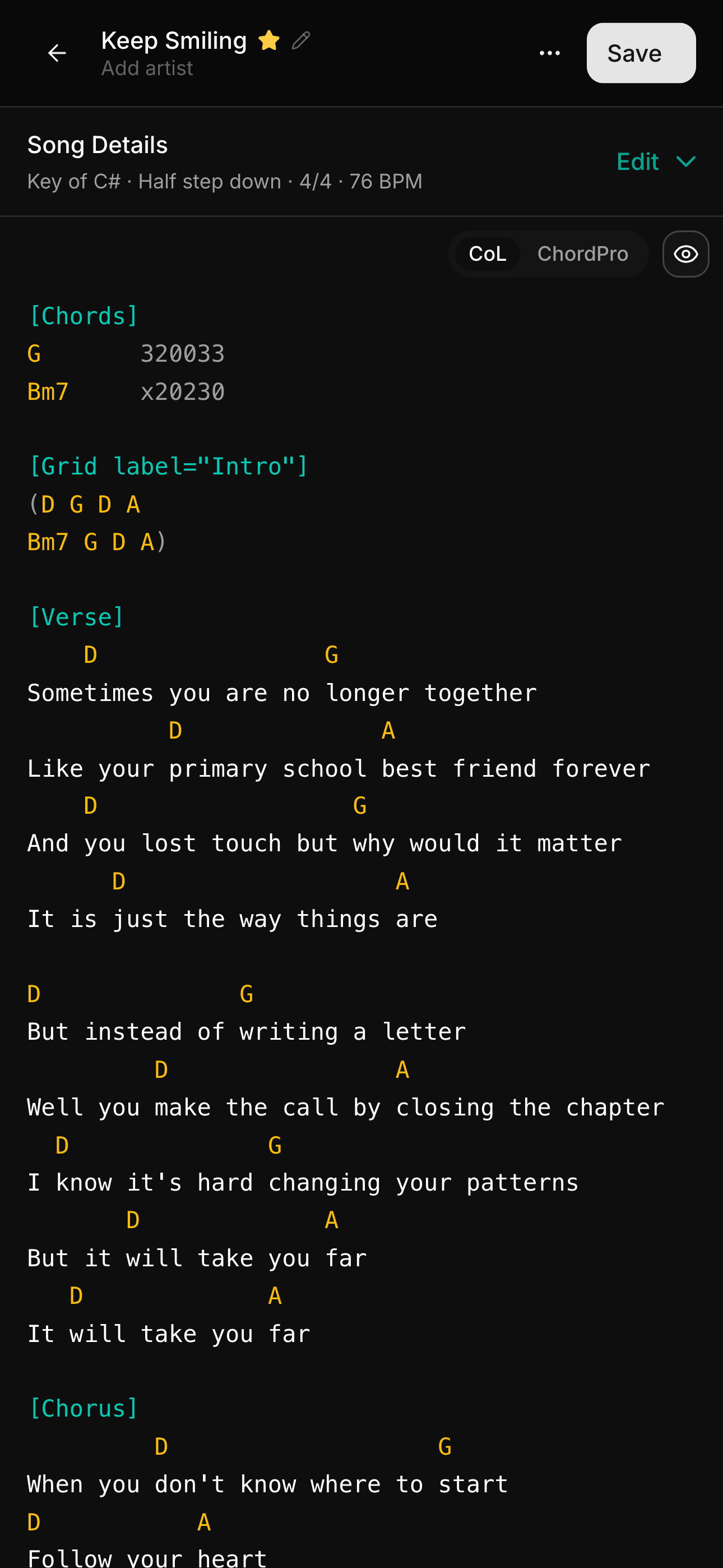
Store lyrics with chords. Transpose on the fly to any key with a single tap. Write in ChordPro or chords over lyrics.
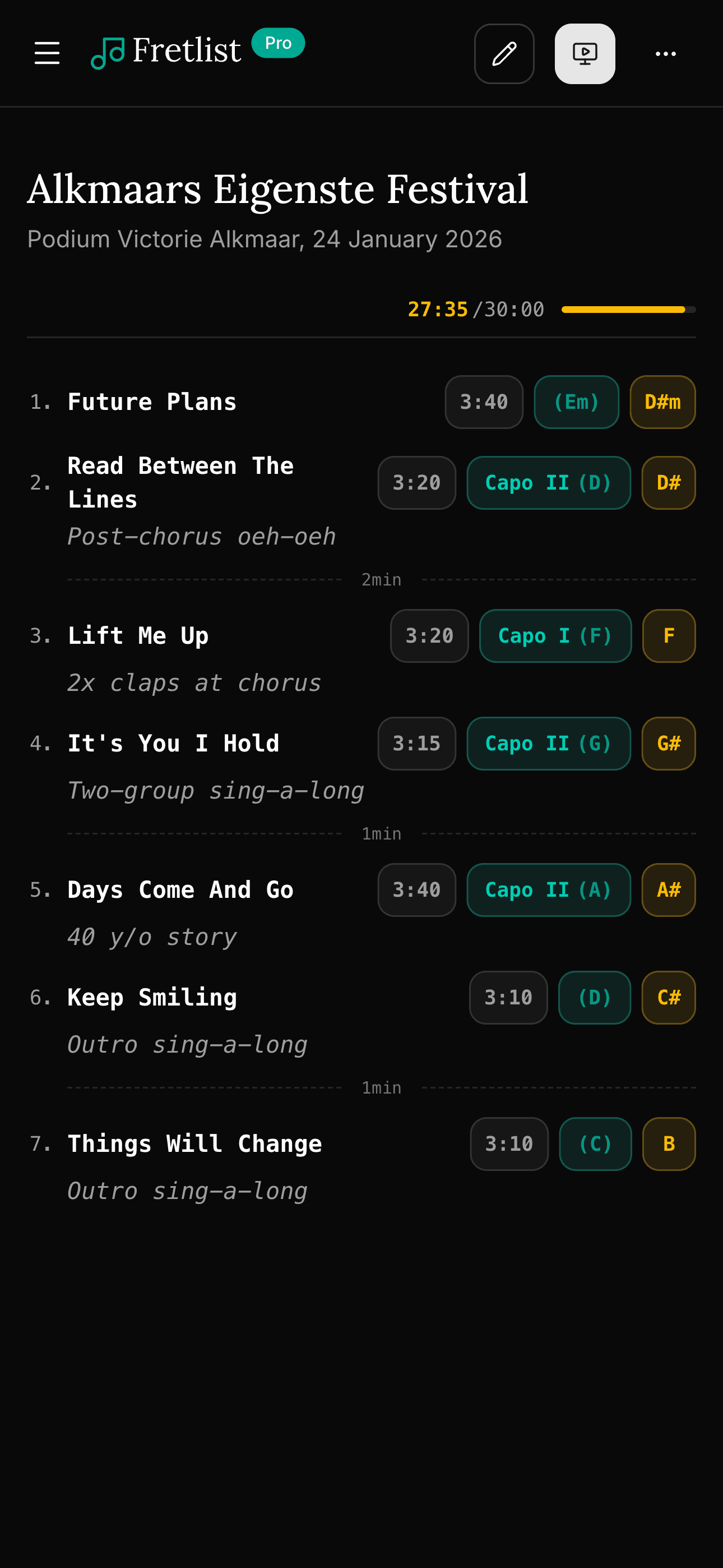
Organize songs into setlists for practice, rehearsals and gigs. Reorder with drag and drop.
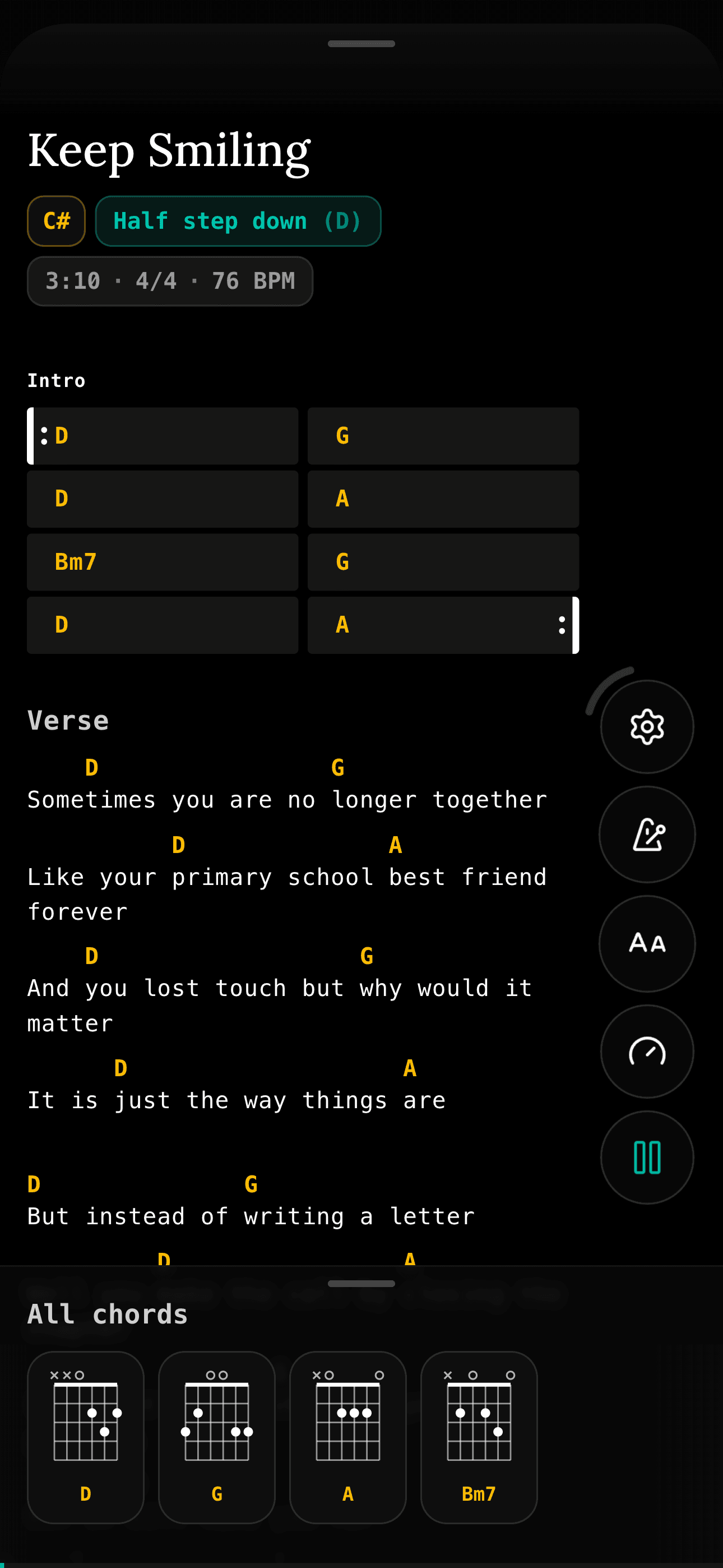
Full-screen, distraction-free view for practice, rehearsal and performance. Swipe, keyboard, or Bluetooth page turner.
Group songs into folders so a big library stays easy to search and navigate.
No WiFi? No problem. Everything syncs to your device.
Send any song or setlist by link, WhatsApp, or email. Bandmates open it in the browser, no account needed.
ChordPro is the open standard for chord sheets. Fretlist supports it natively: import it, edit it, export it, right down to grid environments that render as real bar-and-chord charts.
{title: Encore}
{key: C}

[Chorus]
[C]Sing it [G]out and the [Am]night feels [F]young
[C]Hold the [G]line till the [F]morning [C]comes

{start_of_grid label="Outro" shape="1+4x2+1"}
A |: C . | F G | Am7 F | Dm . :|
Volta 1 |1 C7 . | C . :|
Volta 2 |2 G7 . | C . |
{end_of_grid}
ChordsChorusCSing it Gout and the Amnight feels FyoungCHold the Gline till the Fmorning CcomesOutroACFGAm7FDm1.Volta 1C7C2.Volta 2G7C“Your ChordPro support is the real differentiator for me, creating from scratch is much much easier.”
Play Mode shows one song at a time, big enough to read from the music stand. Let it scroll while you practice, or turn the page with a pedal.
87% of active players use Play Mode.
One library for the whole band, with your own key, capo and notes on top. Whoever presses Play leads, and every other device follows.

Hi, I'm Dear John, a singer-songwriter from the Netherlands. I built Fretlist for my own gigs, and I still play every show from it.
There's no team and no investors. Every email and every fix goes through me. Tell me what's broken and you'll usually see it fixed within days. And if you have ideas to make it better, I'm all ears.
“I am extremely impressed that the creator is actually corresponding with me.”
Free has every feature for one musician; Pro only changes how much you store. Bands adds a library you share. Export your whole library anytime as ChordPro, PDF, Word or plain text. If you ever leave, your songs come with you.
A one-off price means building on money that was spent years ago. That's how apps stop getting updates. I want to still be building Fretlist for years to come. Pro is €24 a year, or half that for life if you joined during Early Access and upgrade by 1 December.
Free and Pro have every feature, Bands adds a shared library. Sign up during Early Access, which ends on 1 November, and lock in 50% off for life. Upgrade by 1 December to claim it.
That's it. Every feature is already free. Pro is for people with big libraries, and it keeps Fretlist going.
No card needed.
Everything in Pro, plus:
Prices in euros. No VAT is added on top.
Everything you need to know about Fretlist.
OnSong for Windows does not exist: OnSong runs on iPad, iPhone and Mac. What OnSong Console does on a PC, and which chord chart apps run on Windows.
· 6 min read
forScore for Android does not exist: it runs on Apple devices only. What that means for Android players, and what to use for PDFs and for chord charts.
· 6 min read
Band setlist sync without the extra steps: one person presses Play and every bandmate's chart follows, song by song, set by set, each in their own key.
· 6 min read
“I LOVE Fretlist. It is exactly what I've been looking for, for years.”
Free during Early Access. Set up in minutes.